
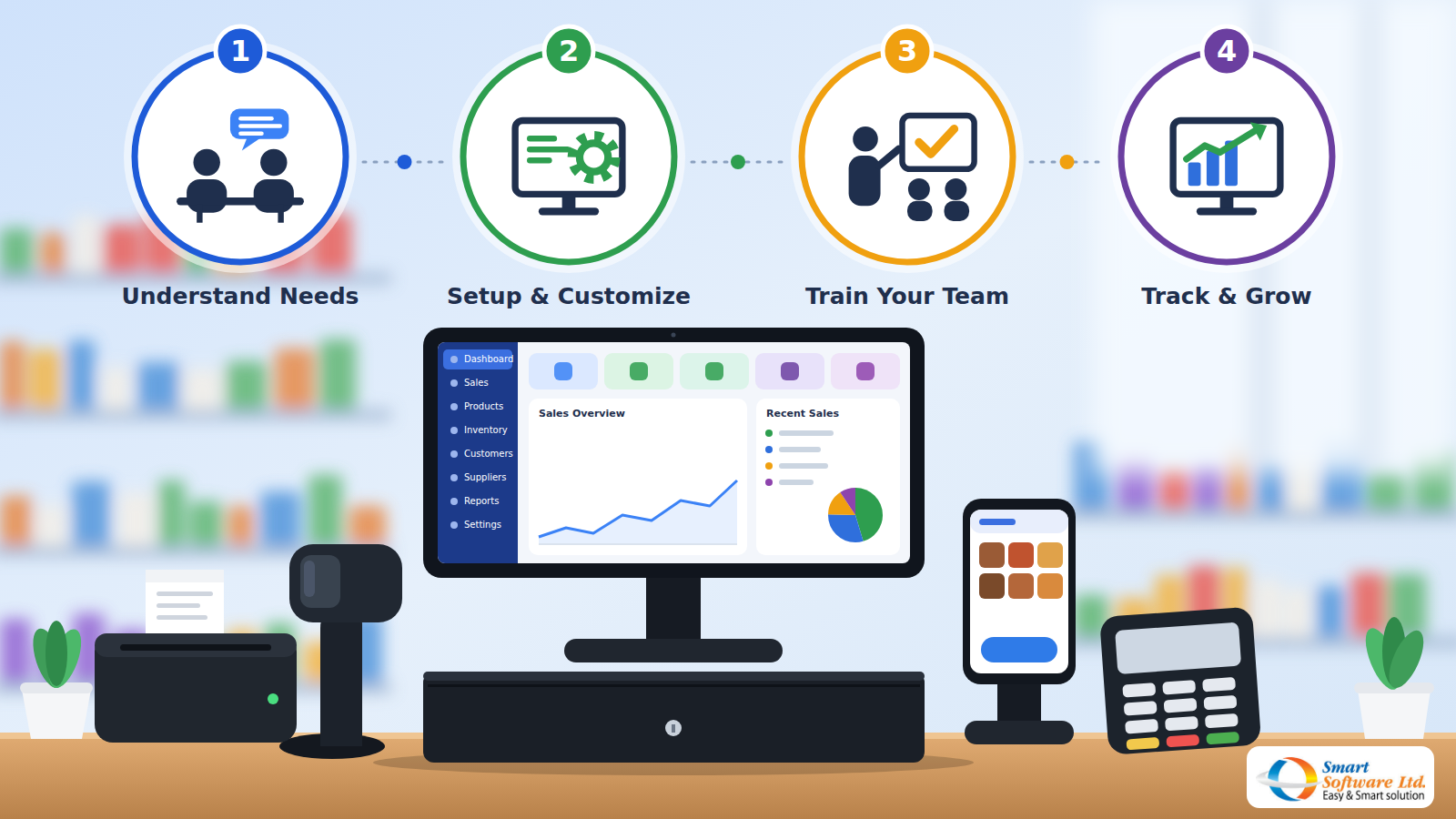
POS Software in Bangladesh: A Complete Guide for Retail Businesses
Running a retail business involves more than selling products and collecting payments. Business owners need to manage inventory, monitor daily sales, track purchases, maintain customer records, and understand their financial performance.
Managing all these activities manually can become challenging, especially when a business starts growing or operating multiple outlets. This is where POS software in Bangladesh can make a significant difference.
A Point of Sale (POS) system helps retail businesses manage sales transactions, product information, inventory, and business reports through a centralized digital platform. Whether you operate a grocery shop, supermarket, pharmacy, fashion store, electronics shop, or wholesale business, the right POS software can help simplify daily operations and improve business management.
In this guide, we will explore what POS software is, its essential features, business benefits, development costs, and how to choose the right POS solution for your retail business in Bangladesh.
Key Takeaways
- POS software goes beyond billing: it connects sales, products, inventory, purchases, customers and reports.
- Essential features include barcode billing, inventory tracking, purchase management, accounting and reporting.
- Cost depends on features, business size, customization, hardware, and hosting and maintenance.
- Choose a POS by your real requirements, ease of use, reporting, scalability, and security and backup.
What Is POS Software?
POS stands for Point of Sale. It refers to the system businesses use to process sales transactions when customers purchase products or services.
Traditional cash registers only record transactions and calculate payments. Modern POS software offers much more than basic billing. A POS system can help businesses:
- Generate sales invoices and receipts
- Manage product information and pricing
- Track inventory and stock levels
- Process purchases and sales returns
- Manage customer and supplier records
- Monitor daily sales and business performance
- Generate financial and inventory reports
By connecting different business activities, POS software helps retailers manage their operations more efficiently.
Why Do Retail Businesses in Bangladesh Need POS Software?
Retail businesses in Bangladesh face several operational challenges, including manual billing, inaccurate inventory records, sales tracking difficulties, and complicated financial management. A suitable POS solution can help address these challenges.
1. Faster Sales and Billing Management
Manual billing can slow down customer service, particularly during busy shopping hours. POS software simplifies the checkout process by allowing employees to search for products, enter quantities, apply prices, and generate invoices. Barcode scanning can make product selection and billing even faster. This helps reduce unnecessary delays and improve the customer checkout experience.
2. Real-Time Inventory Management
Inventory management is one of the most important parts of running a retail business. Without proper stock tracking, businesses may experience product shortages, excess inventory, or inaccurate stock records.
A POS system connected to inventory management can help businesses monitor product quantities and update stock records based on sales and purchases. Business owners can also use stock reports and product alerts to make better purchasing decisions.
3. Better Sales Tracking
Understanding sales performance is essential for making informed business decisions. POS software helps retailers maintain digital sales records and review transactions by date, product, customer, or salesperson. These reports can help identify popular products, monitor revenue, and understand business performance.
4. Improved Financial Management
Managing business income, expenses, payments, and outstanding balances manually can create accounting difficulties. An integrated POS and accounting solution can help businesses organize financial transactions and maintain better records. This makes it easier to review income, expenditure, cash reports, and profit and loss statements.
5. Better Customer Management
Customer information can help businesses understand purchasing patterns and maintain long-term relationships. A POS system with customer management features can store customer profiles, track sales history, and organize customer-related information. These records can support better customer service and business planning.
Essential Features of POS Software for Retail Businesses
Not all POS systems offer the same functionality. Before choosing a solution, businesses should understand which features are important for their operations. Here are some essential POS software features.
1. Sales and Billing Management
A POS system should make daily sales transactions simple and organized. Important capabilities may include:
- Sales invoice generation
- Barcode-based product selection
- Product quantity and price calculation
- Discount management
- Due and advance payment collection
- Sales return and exchange management
These features help businesses manage everyday transactions more efficiently.
2. Product and Barcode Management
Managing hundreds or thousands of products manually can become difficult. Product management features help businesses maintain product names, categories, prices, and other relevant information. Barcode generation and assignment make it easier to identify products and process sales transactions.
3. Inventory Management
A retail POS system should support inventory tracking to help businesses understand available stock. Useful inventory features include:
- Product stock management
- Purchase and stock entry
- Supplier-wise stock reports
- Product stock alerts
- Damaged product records
- Product-wise inventory reports
These features help reduce inventory management errors.
4. Purchase and Supplier Management
Retail businesses regularly purchase products from different suppliers. A POS solution with purchase management capabilities can help organizations record supplier-wise purchases, maintain supplier profiles, monitor outstanding balances, and manage purchase returns. This helps create a more organized purchasing process.
5. Accounting and Financial Reports
Financial visibility is important for every retail business. A POS system integrated with accounting features can help maintain:
- Chart of accounts
- Journal entries
- Payment records
- Bank account information
- Income and expenditure reports
- Balance sheets
- Profit and loss statements
These records help business owners understand their financial position.
6. Customer Management
Customer management features help businesses maintain customer profiles and review sales-related information. This is particularly useful for retailers that regularly serve returning customers.
7. Sales and Inventory Reporting
Business reports provide useful insights into daily operations. A good POS solution should help retailers review sales, purchases, cash transactions, stock levels, customer activity, and financial performance.
Types of Businesses That Can Benefit from POS Software
POS software is useful for different types of retail businesses. However, the required features may vary depending on the industry.
Grocery Shops and Supermarkets
Grocery shops handle a large number of products and daily transactions. POS software can help manage product billing, barcode scanning, inventory records, and sales reports.
Pharmacy Businesses
Pharmacies need organized product records and accurate sales management. Depending on the system, pharmacy-specific requirements may include batch tracking, expiry-date monitoring, and medicine inventory management. Businesses should confirm these features before selecting a pharmacy POS solution.
Fashion and Clothing Stores
Fashion retailers often manage products with different sizes, colors, designs, and categories. A suitable POS system can help organize product information, process sales, and monitor stock availability.
Electronics and Mobile Shops
Electronics retailers need to maintain accurate product information, pricing, purchase records, and customer transactions. POS software can help organize these activities and generate sales reports.
Wholesale Businesses
Wholesale businesses frequently manage supplier purchases, bulk sales, customer dues, and inventory. A POS solution with purchase, sales, accounting, and inventory management features can help simplify these operations.
POS Software vs Traditional Billing Systems
Many small businesses still depend on manual registers, spreadsheets, or basic billing applications. However, these methods may become less effective as transaction volumes increase.
| Comparison | Traditional Billing | POS Software |
|---|---|---|
| Sales Records | Manual entry | Digital transaction records |
| Product Management | Manual records | Centralized product information |
| Inventory Tracking | Manual stock counting | Digital stock tracking |
| Sales Reports | Time-consuming | Report generation |
| Customer Records | Paper-based records | Digital customer profiles |
| Financial Management | Separate records | Can integrate with accounting |
| Business Monitoring | Limited visibility | Better reporting and analysis |
For growing retail businesses, a POS solution can provide better control over daily business activities.
How Much Does POS Software Cost in Bangladesh?
The cost of POS software in Bangladesh depends on the features, customization requirements, number of users, and business size. There is no fixed price that applies to every retail business. Several factors influence the overall investment.
1. Software Features: Basic billing software generally requires less development than a complete POS solution with inventory, accounting, reporting, and customer management.
2. Business Size: A single retail shop may have different requirements from a supermarket chain operating multiple branches.
3. Customization: Businesses with unique workflows may require customized features and reports.
4. Hardware Requirements: Barcode scanners, receipt printers, computers, and other equipment may increase the total implementation cost.
5. Hosting and Maintenance: Hosting, software updates, technical support, and maintenance should also be considered.
Tip: Before selecting a POS solution, clearly identify your requirements and request a detailed quotation.
How to Choose the Best POS Software in Bangladesh
Selecting the right POS software is an important business decision. Before purchasing or developing a system, consider the following factors.
Understand Your Business Requirements
Identify the main challenges in your current sales, inventory, purchasing, and accounting processes. Choose a solution that addresses your actual operational needs.
Check the Available Features
Make sure the system supports essential features such as billing, product management, barcode generation, inventory tracking, sales returns, and reporting.
Evaluate Ease of Use
Employees should be able to understand and operate the software without unnecessary complications. An easy-to-use interface can reduce training time and improve productivity.
Check Reporting Capabilities
Business owners need accurate information to monitor performance. Evaluate whether the software can generate useful sales, purchase, stock, cash, and financial reports.
Consider Customization and Scalability
Your business requirements may change as your company grows. Choose a solution that can accommodate additional users, products, reports, and operational requirements.
Evaluate Security and Backup
Business transaction records and financial information are valuable assets. Ask about user permissions, password protection, data backup, restoration, and technical support.
Why Choose Smart Software Ltd. for POS and Retail Management Solutions?
Choosing the right software development partner is important when implementing a POS system for your business. Smart Software Ltd. provides software solutions designed to help businesses improve their operational management and digital capabilities.
Its POS/Retail Management solution is designed to support important retail activities, including sales, purchases, product management, accounting, and inventory reporting. Some documented capabilities include:
- Sales voucher entry and barcode-based sales
- Sales due and advance collection
- Sales returns and exchange management
- Product configuration and barcode generation
- Purchase and supplier management
- Customer and supplier profile management
- General accounting and journal entries
- Product-wise and supplier-wise stock reports
- Daily sales and purchase reports
- Cash, income, and expenditure reports
- Profit and loss statements
- Customized reporting
- Multiuser access and password protection
These capabilities can help businesses organize their retail operations and maintain important business records through a centralized system. Smart Software’s published POS/Retail Management documentation provides further information about its system features.
To explore the available software solutions, visit the Smart Software Ltd. website.
Benefits of Using a POS System for Long-Term Business Growth
Implementing POS software is not just about replacing manual billing. It can help businesses establish a more organized approach to retail management. Some long-term benefits include:
Improved Operational Efficiency: Digital records reduce repetitive manual activities.
Better Inventory Control: Stock information helps businesses plan purchases and monitor product availability.
Data-Driven Decisions: Sales and financial reports provide useful business insights.
Reduced Manual Errors: Digital calculations and organized records can help minimize common data-entry mistakes.
Better Business Visibility: Owners can review important business information through available reporting features.
Scalable Management: A suitable system can be customized or expanded according to changing business requirements.
Frequently Asked Questions
What is POS software?
POS stands for Point of Sale. POS software helps businesses process sales, manage products and inventory, handle purchases and customer records, and generate business reports from one system.
Which businesses need POS software in Bangladesh?
Grocery shops, supermarkets, pharmacies, fashion stores, electronics and mobile shops, and wholesale businesses can all benefit from POS software, depending on their features and requirements.
What features should a retail POS system have?
Important features include sales and billing, barcode management, inventory tracking, purchase and supplier management, accounting, customer management, and sales and inventory reports.
How much does POS software cost in Bangladesh?
There is no fixed price. The cost depends on features, business size, customization, hardware requirements, and hosting and maintenance. Request a detailed quotation after listing your requirements.
What is the difference between POS software and a basic billing system?
A basic billing system mainly records transactions. POS software also manages products, inventory, purchases, customers and reports, and it can integrate with accounting.
Can a pharmacy use POS software?
Yes, but pharmacy needs such as batch tracking and expiry-date monitoring depend on the system. Confirm these features before choosing a pharmacy POS solution.
Do I need extra hardware for a POS system?
Barcode scanners, receipt printers and computers may be needed, depending on how you plan to bill and manage products. Include them when you estimate the total cost.
How do I choose the best POS software?
Start with your business requirements, then compare features, ease of use, reporting, customization and scalability, and security and backup.
Conclusion
Managing a retail business requires accurate sales records, proper inventory control, organized purchasing, and effective financial management. Traditional methods may work for small operations, but growing businesses often need a more organized digital solution.
POS software in Bangladesh can help retail businesses simplify billing, manage products, track inventory, monitor sales, and improve overall operational efficiency. Whether you operate a grocery shop, supermarket, pharmacy, fashion store, electronics shop, or wholesale business, selecting the right POS solution can support your long-term business goals.
If you are looking for a POS and Retail Management solution, explore the software services offered by Smart Software Ltd.
Ready to Simplify Your Retail Operations?
From faster billing to clearer stock and sales reports, the right system can make daily retail work easier. Explore the software solutions from Smart Software Ltd. and see how technology can support your business.
Smart Software Ltd. — Easy & Smart Solution.
 Best Jobs Site In Bangladesh - BDJobs Live. Best Online Recruitment Platform in Bangladesh
New Comment